Lotus for Elixir
Embedded business intelligence for Phoenix apps. AI-powered queries, interactive dashboards, and 16+ visualizations. Safe, read-only, no external services required.
Ask questions in plain English, get production-ready SQL
Have a conversation with your database. The AI assistant understands your schema, generates queries, explains results, and fixes errors — all through a natural chat interface. Multi-turn conversations let you iteratively refine until you get exactly what you need.
- BYOK — works with OpenAI, Anthropic, Google, Groq, Mistral
- Explain queries, optimize performance, auto-fix errors
- Schema-aware — AI only sees tables you allow
16+ chart types. Build dashboards in minutes.
Go from raw SQL to polished dashboards without leaving your app. Bar, line, area, scatter, heatmap, funnel, KPI cards, gauges, and more. Arrange them on a drag-and-drop grid with auto-refresh and public sharing.
- Interactive dashboard filters with URL parameters
- Public sharing and auto-refresh
- Dark mode and light mode themes
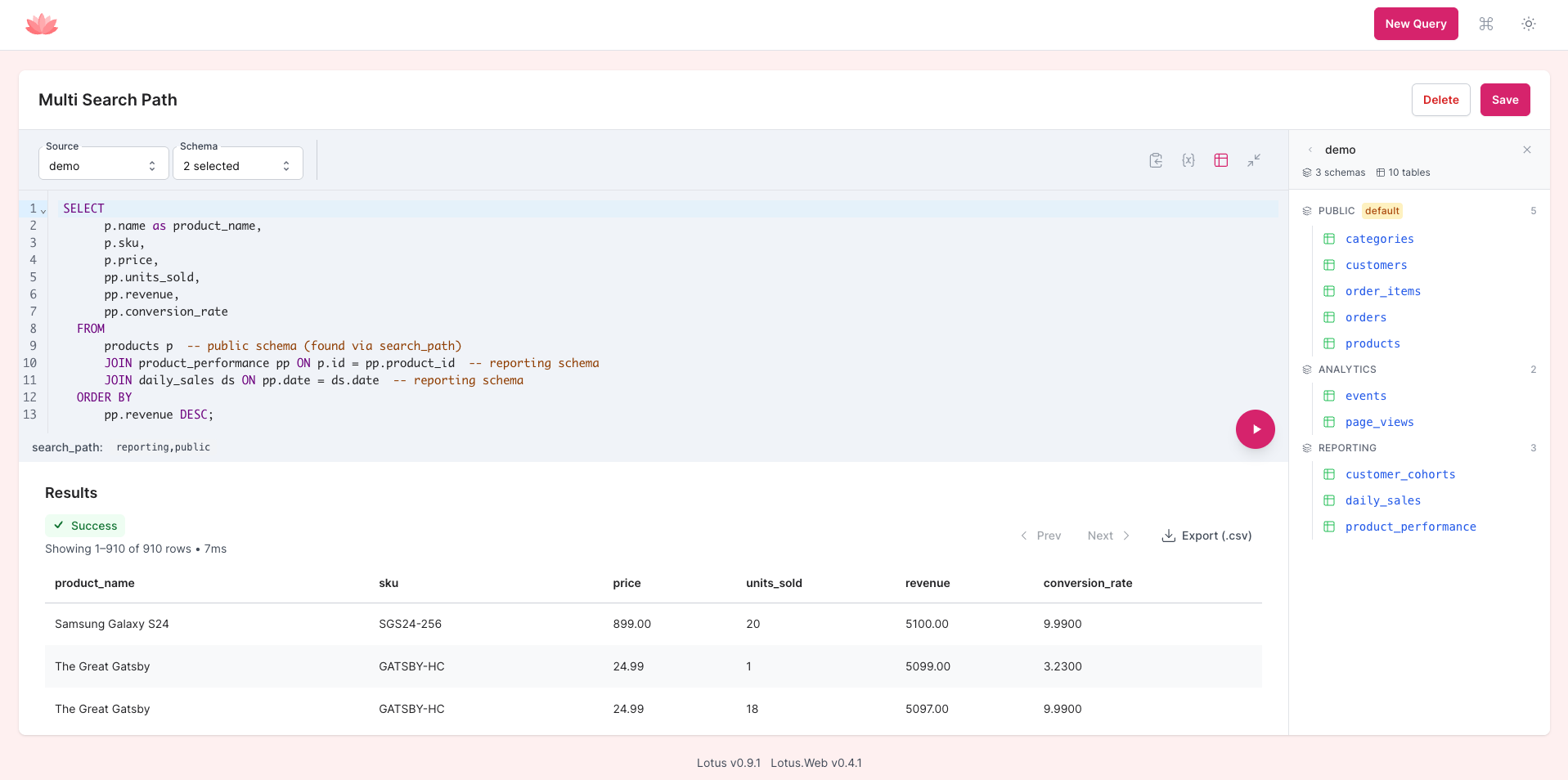
A full-featured SQL editor, embedded in your Phoenix app
Write SQL with schema-aware autocomplete, explore tables in the sidebar, use smart variables for parameterized queries, and interact with results through right-click filtering and column statistics. Export to CSV with streaming for large datasets.
-
Smart variables with
{{variable}}syntax - Right-click context menu for quick filtering and sorting
- Column statistics on hover — min, max, avg, median, histogram
Everything you need for embedded analytics
No external services. No extra infrastructure. Just add Lotus to your Phoenix app and start querying.
Read-Only by Default
Production-safe from day one. Session state preservation ensures your connection pool stays clean.
Multi-Database Support
PostgreSQL, MySQL, and SQLite. Connect multiple databases and query across schemas simultaneously.
Result Caching
Ships with ETS and Cachex adapters, or build your own. Configurable TTL profiles keep repeat queries fast.
Table Visibility Controls
Choose which tables and schemas are visible. The AI assistant and schema explorer respect your rules.
CSV Export
Streaming CSV export handles large datasets efficiently. Download results without blowing up memory.
Middleware Pipeline
Hook into query execution with before/after callbacks. Add authorization, logging, or custom transformations.
Get started in 3 steps
Add the dependencies
Add lotus
and lotus_web
to your mix.exs and run
mix deps.get.
Configure and migrate
Set your repositories and run
mix lotus.setup.
Lotus creates its own storage tables — your app schema stays untouched.
Mount the dashboard
Add one line to your router and you have a full BI dashboard
at /lotus.
Works with Phoenix LiveView out of the box.
Frequently Asked Questions
Can't find what you're looking for? Ask us on Discord.
How is Lotus different from Metabase or Redash?
Lotus embeds directly inside your Phoenix application — there's no separate service to deploy, no Java runtime, and no external database. It uses your existing Ecto repos and runs read-only queries against your production or replica databases. It also includes a built-in AI assistant for natural language query generation, something neither Metabase nor Redash offers natively.
Can I share dashboards with non-technical users?
Yes. Dashboards can be shared via public links that don't require authentication. You can add interactive filter widgets (dropdowns, date pickers, text inputs) so viewers can slice the data themselves. Filters are reflected in URL query parameters, making filtered views bookmarkable and shareable. Dashboards also support auto-refresh for live monitoring.
Which databases are supported?
Lotus supports PostgreSQL, MySQL, and SQLite. You can connect multiple repositories simultaneously and query across different schemas within the same database. Lotus uses your existing Ecto repos, so if your app already connects to it, Lotus can query it.
Which AI/LLM providers are supported?
Lotus uses a Bring Your Own Key (BYOK) model. Popular providers like OpenAI, Anthropic, and Google (Gemini) work out of the box, but Lotus supports any provider compatible with the ReqLLM library. Configure your preferred provider and API key, and the AI assistant handles schema introspection, query generation, explanation, and optimization.
Is it safe to use in production?
Yes. Lotus runs all queries in read-only mode by default and automatically restores database session state after each query to prevent connection pool pollution. It includes table visibility controls, system table protection, preflight authorization hooks, and a middleware pipeline for custom security policies. You can also point Lotus at a read replica for complete isolation.
Is Lotus open source?
Yes. Both lotus and
lotus_web are released under the
MIT License. You can find the source code on
GitHub.